
Sovereign infrastructure by Serenity Technology

Your cloud. Your hardware. Your authority.

sCloud turns your own servers into a complete private cloud — virtual machines, Kubernetes, apps, databases and storage, self-served from one console. With sAxess PRO, every critical action inside it is authorised by a verified person holding a biometric card.

Your workloads, application data and control plane remain within infrastructure under your control.

No public price list — every quote is written for your environment.

Who it's for

Made for organisations that run their own servers.

Best fit: 20 to 200 physical servers and an in-house operations team to run the platform.

Private enterprise

You need cloud speed at a cost you can predict.

Teams get machines, clusters and databases in minutes, on hardware you already own — under one licence, priced per physical core.

Typical sectors

SaaSFintechE-commerceMediaLogisticsManufacturingTelecoms

Public sector & regulated industries

Your data must stay under your control — often by a set date.

Workloads, application data and the control plane stay in your own data centre, connected or fully offline — and every critical action is authorised by a named person with a biometric card.

Typical sectors

GovernmentBankingInsuranceEnergyHealthcareUniversities & research

Teams usually come to us when…

  1. A licence renewal jumps

    The virtualisation renewal went up. Put that budget into a complete private cloud, licensed simply per physical core.

  2. A sovereignty rule arrives

    A new policy says your data must stay under your control. sCloud and its control plane run inside infrastructure you control.

  3. AI needs your data

    The data can't leave the building, so bring cloud-style infrastructure to where it already is.

  4. Developers wait days

    Every test environment takes a ticket. With sCloud, teams create their own in minutes.

The product

One product. Seven parts. One console.

Everything ships in every licence. You never buy capability by capability or wait for the next version.

  • Virtual machinesFull VMs with snapshots, resizing and live migration.
  • Managed KubernetesA dedicated cluster per team, with no control plane to maintain.
  • Application hostingDeploy straight from source — domains, certificates and logs included.
  • One-click appsStandard internal tools — source control, queues, monitoring — in one click.
  • Managed databasesAutomated backup, point-in-time recovery and replicas.
  • Object storageS3-compatible buckets your existing tools connect to unchanged.
+ Shared foundation

Private networking per team, sCloud Identity with sAxess PRO approvals, console, API and a Terraform provider. Every service above inherits it.

The sCloud console

The console

Two views, because you run the platform.

  • Operator view — projects, quotas and consumption for every department.
  • Team view — create what you need in minutes, without a ticket.
  • In code — full API, CLI and Terraform.
See it live — book a demo

sCloud × sAxess PRO

Biometric control of critical infrastructure.

Not only who can access your sovereign cloud — but who can authorise what happens inside it.

Sign in

Passwordless, phishing-resistant, built in.

sAxess PRO
  • sAxess PRO CardThe primary method. Fingerprint matched on the card itself; the private key never leaves its secure element.
  • FIDO2 / WebAuthnAny standard security key or platform authenticator — for staff who do not carry a card.
  • sCloud IdentityBuilt-in SSO for the console, API, CLI and your own applications over OpenID Connect and SAML.

No passwords, SMS codes or authenticator apps to phish — which removes the most common route to account takeover.

Authorise

Critical actions need a fingerprint, not just a login.

You choose which actions are critical. sCloud holds each one until it is signed on a sAxess PRO Card — a stolen session, token or password is not enough.

  • Administrator accessEntering the operator view or elevating to an admin role.
  • IAM changesCreating admins, changing roles, policies or identity providers.
  • Production deletionDeleting VMs, clusters, databases, buckets or whole projects.
  • Backup & data exportRestoring, exporting or copying data out of a project.
  • Security-policy changesNetwork rules, quotas, audit settings and approval policies.
  • Key & secret operationsReading, rotating or destroying encryption keys and secrets.
  • M-of-N approvalFor exceptionally sensitive actions, require several named people — for example 2 of 3 — each signing on their own card.
Illustration of a held action.
  1. 01

    The action is held

    sCloud's policy engine recognises a critical action and pauses it — whether it came from the console, API, CLI or Terraform.

  2. 02

    A person proves it is them

    The approver sees exactly what will happen, then touches their sAxess PRO Card. The fingerprint is verified on the card.

  3. 03

    The card signs that exact action

    The signature covers the action's details, so it cannot be replayed for anything else. Exceptional actions need M of N approvers.

  4. 04

    Executed and recorded

    The action runs, and the signed approval is written to the audit log beside it — evidence your auditors can verify.

sCloudSovereign infrastructure.
sAxess PROSovereign identity and authorisation.
TogetherBoth your data and critical human authority remain under your control.

Infrastructure where neither the data nor the authority over it can be taken away from you — not by a vendor, and not by a stolen password.

About sAxess PRO

Architecture

The control plane stays inside your environment.

People and pipelines, the control plane, identity and policy, services and hardware — every layer runs on infrastructure you control. Serenity only ships signed releases.

Production readiness

Evidence, not adjectives.

What we test, how the platform behaves when a server fails, and how it is upgraded. Detailed test reports are shared under NDA during scoping.

  • Tested cluster size

    The largest cluster we run end to end, in our lab and in customer proofs of concept.

  • VM & Kubernetes scale

    Virtual machines, Kubernetes clusters and nodes per installation, measured under sustained load.

  • High availability & failover

    Control-plane services are replicated across servers. VMs on a failed host restart on healthy ones; live migration moves them for planned maintenance.

  • Recovery objectives

    Managed databases recover to any point in time. The control plane is backed up and can be restored, including to a second site.

  • Upgrade process

    Signed, rolling upgrades: one server at a time, with workloads moved off it first — no platform-wide maintenance window.

  • Supported workloads

    Linux and Windows virtual machines, upstream Kubernetes for containers, and managed databases.

  • Supported servers

    Standard rack servers from mainstream vendors. Certified configurations are published with each release.

  • Storage & network

    Replicated software-defined storage on the servers' own disks, and isolated private networks per project on your existing switching.

  • API coverage

    The console is built on the public API. Anything you can click, you can script — through the API, CLI or Terraform.

How it works

Your hardware. Our software. Your teams in control.

We license and support the software layer. The servers, the data and the people stay yours — and that boundary is written into the contract.

  1. 01

    We install sCloud on your servers

    In your own data centre — connected, or with no route to the internet at all.

  2. 02

    Your operators set it up for teams

    Projects, quotas and access for every department, from the operator view.

  3. 03

    Teams serve themselves

    Machines, clusters, apps, databases and storage in minutes — not weeks.

Updates, security patches and support come with a separate maintenance and support plan.

Built for regulated environments

Air-gapped deployment

Runs fully inside your network; signed updates are imported offline.

Tenant isolation by default

No path between projects exists unless you create one.

Biometric authorisation

Critical actions signed with a sAxess PRO Card — M of N for the most sensitive.

Identity & audit

Built-in SSO, roles, and a signed audit trail streamed to your SIEM.

Patch commitments

Defined patch times for vulnerabilities, by severity.

Security & Sovereignty in depth

Who's behind sCloud

A product of Serenity Technology.

The enterprise trust platform for identity, assets and access.

Serenity gives organisations durable, provable control over who can access what — across cloud, devices and chains — with survivable permissions and audit-ready records. sCloud brings the same principle to infrastructure: a cloud you own, on hardware you own.

We envision a decentralized future where individuals and businesses have absolute control over their data sovereignty.
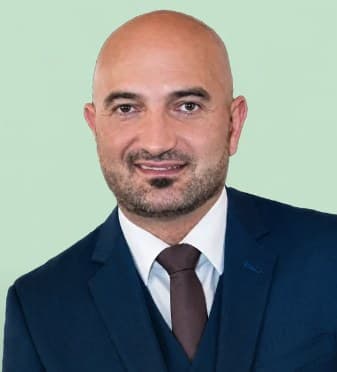
Venket NagaCEO, Serenity Technology

Innovation

Pushing the boundaries of secure data storage.

Integrity

Ethical, transparent practices at our core.

Collaboration

Scalable, impactful solutions, built together.

User-centricity

Privacy, security and convenience in mind.

Team

The team building sCloud

Technology, product, security and operations — one team taking sCloud to market.

Nagarjun Venket

Nagarjun Venket

President & Chief Executive Officer

30+ years across technology, software, banking, business operations and commercial development.

Robert Hatefi Mofrad

Robert Hatefi Mofrad

Director, Chief Financial Officer & Chief Product Officer

20+ years across technology, product development and digital security.

Shruthi Chandrasekar

Shruthi Chandrasekar

Director, Secretary & Head of Strategic Communications

Strategic communications, market positioning and stakeholder engagement.

Dave Bailis

Dave Bailis

Treasurer, Head of Operations & Implementation

25+ years across organizational leadership, client delivery and operational transformation.

How to buy

No price list. A written quote for your environment.

Your quote has two parts: an annual platform licence priced per physical core, and the maintenance and support plan you choose. Here is how we get there together.

  1. 1

    Get in touch

    Call sales or send the form. Either way, a person replies.

  2. 2

    Scoping call

    We learn your servers, your workloads and your timeline.

  3. 3

    Written quote

    Annual licence, support plan and any services — in one document.

  4. 4

    Proof of concept, then rollout

    Test on your own hardware against success criteria agreed up front, then go live with training.

What your quote includes

Every capability is in every licence. The licence is annual and priced per physical core; maintenance, updates and support are a separate plan.

Platform licence

Annual, priced per physical CPU core across the servers that run sCloud.

Maintenance & support

Updates, maintenance and support, billed separately from the licence. Standard, Business or Mission Critical — tiers differ in response time, never in features.

Services · optional

Assessment, migration and security hardening.

Training · optional

Operator training and certification.

Questions buyers ask first

Anything else? Ask us on the call.

Why isn't there a public price?

Because it depends on your environment and the support tier you choose. The platform licence is annual and priced per physical core; maintenance, updates and support are a separate plan. We write it all down for you after a short scoping call.

How is the licence priced?

Annually, per physical CPU core on the servers that run sCloud. Every capability is included; maintenance, updates and support come as a separate plan.

Do you supply the hardware?

No. sCloud runs on servers you already own or buy. We license, install and support the software layer.

Can it run without an internet connection?

Yes. sCloud can be deployed fully air-gapped, inside your own network. Updates arrive as signed bundles you import yourself.

Are some features only in higher tiers?

No. Every licence includes every capability — including sCloud Identity and sAxess PRO critical-action control. Support tiers differ only in response time.

Can we try it before we commit?

Yes — through a proof of concept on your own hardware, against success criteria we agree with you before it starts.

Contact sales

Two ways to start.

Talk to a person now, or send your details and we'll call you back.

1Call us

Speak to sales

Tell us about your servers and what your teams need. We'll take it from there.

+968 2400 0000Call now
  • A scoping conversation, not a sales script
  • Ask for a live demo or a proof of concept

2Send the form

Request a quote

Four required fields. We reply within two business days.

What would you like?

Your details are used for this request only.

Call salesRequest a quote